Experiment
02/12/2025

Jonas Lindeman
Digital Designer
As the AI train ramps up speed, more and more trivial tasks are being delegated to Large Language Models (LLMs). I'm no saint in this; I use LLMs every day to speed up processes, create simple components for Framer, or get information about new software. It's efficient, but I’ve started to feel like I am losing my ability to learn things deeply.
I started thinking about this while working with media compression. In the digital landscape, we are constantly compressing images and videos to make websites faster and more accessible. I discovered FFmpeg some months ago, and I was immediately intrigued by how powerful it is.
I recently learned that FFmpeg is single-handedly the most important tool for YouTube, Instagram, TikTok, and practically every platform that handles video. It is the engine room of the modern visual web. But it's a pain to learn the ins and outs of all the "flags" required to use it.
What is FFmpeg and how is it used?
FFmpeg runs in your terminal. To use it, you write commands (scripts) to handle compressions, codec changes, or file extension swaps. There are hundreds of flags, and knowing which options go with what just to get a file that runs smoothly is difficult. For a long time, I relied on LLMs to help me write these commands, and they would look something like this:
ffmpeg -i input_video.mov -c:v libx264 -crf 23 -preset medium -pix_fmt yuv420p -movflags +faststart -c:a aac output.mp4
I would open the terminal, find the folder with the file, copy-paste the command, run it, and move on. It worked almost every time, but I can't say I really learned as much as I should have during the time I used it.
How can I learn FFmpeg easier than reading?
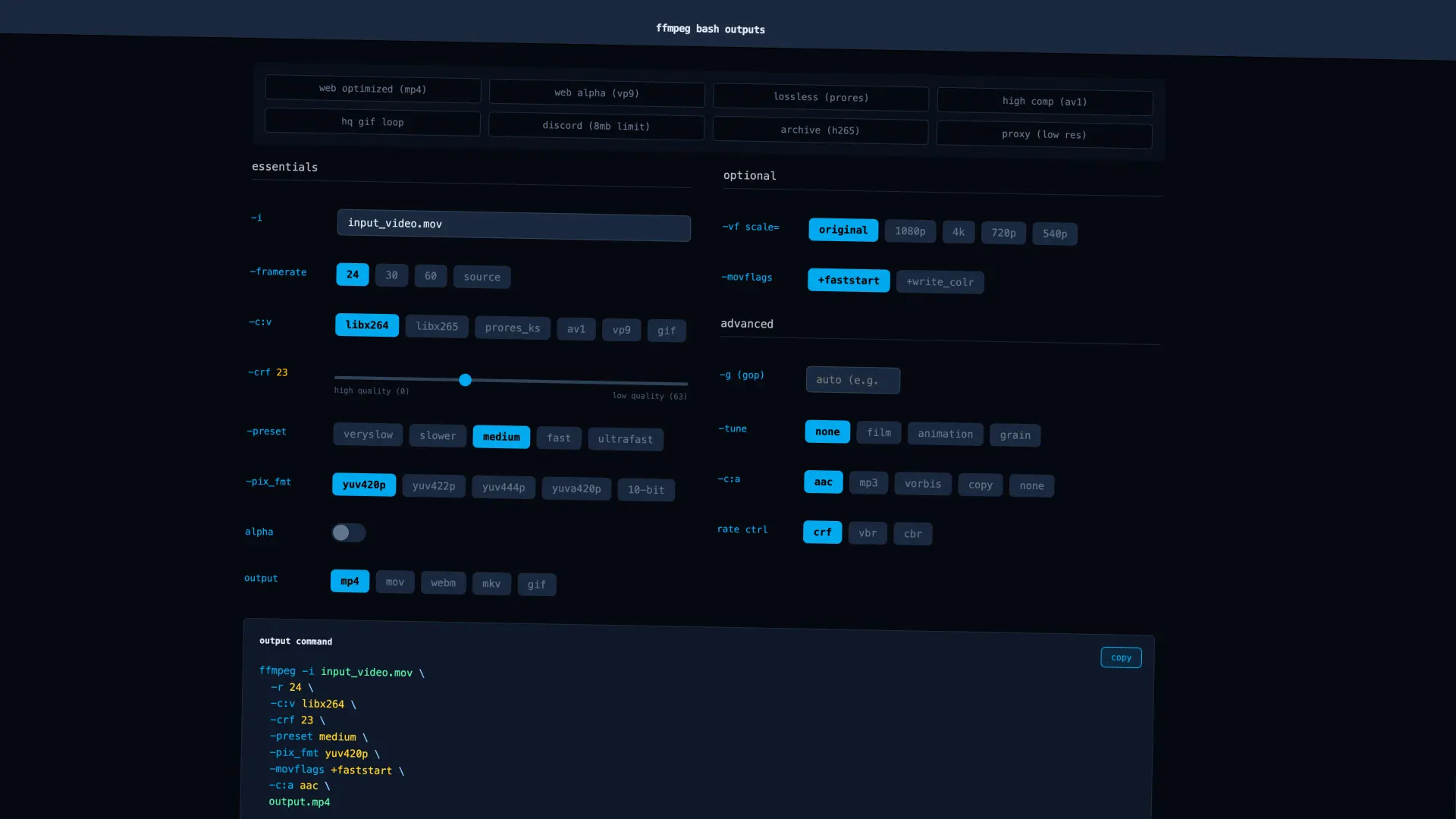
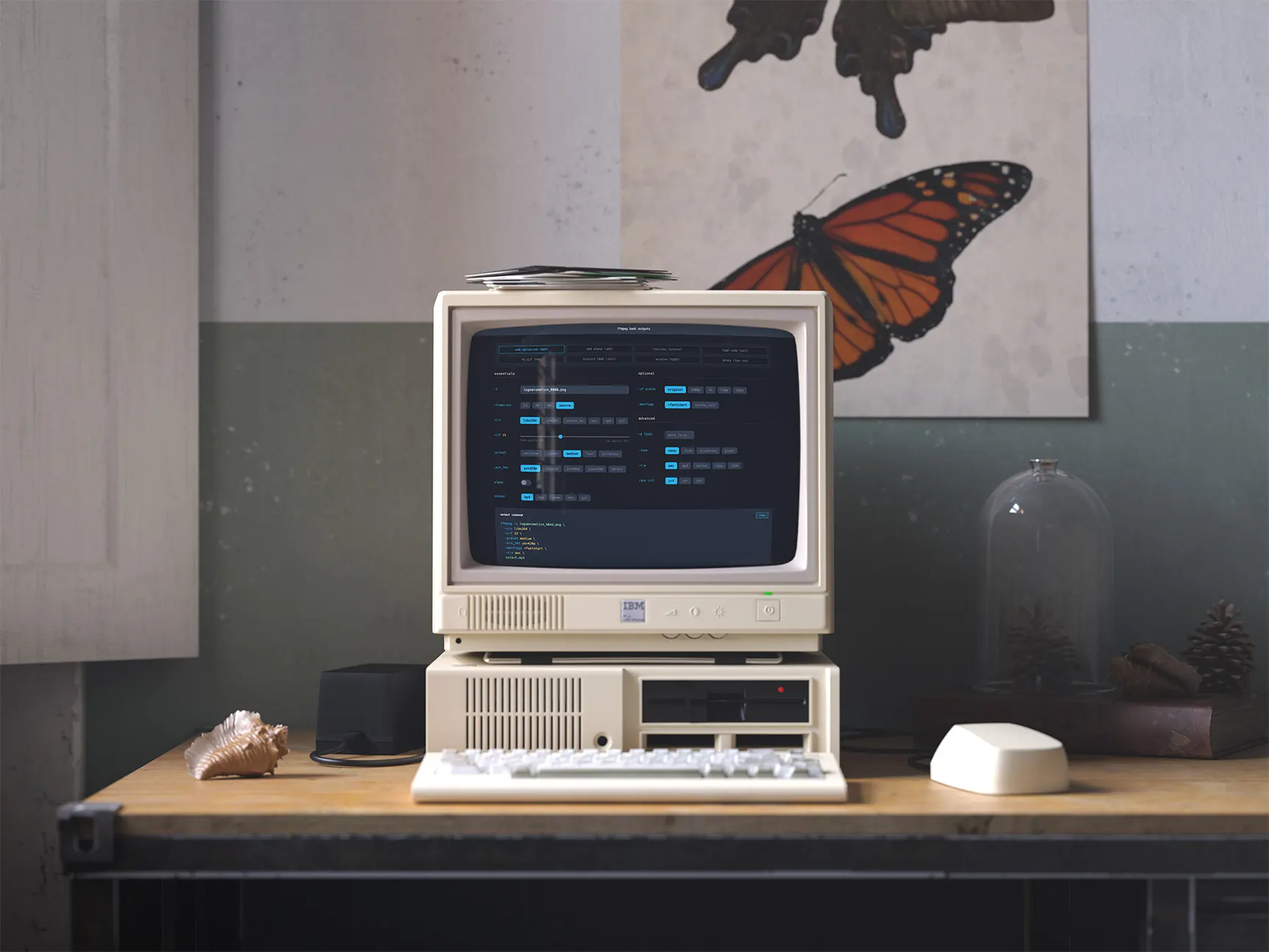
I'm a big "learning-by-doing" person, and reading documentation page after page is not my favorite method of learning. I decided to try to make a UI for FFmpeg that could output commands from my settings based on buttons and sliders. I wanted a live-updating command line shown at the bottom of the UI, and a "Run" button that executes the script in the terminal. I designed the base of the UI so that an LLM could help me add all the "flags" I missed later.
The result became a cheat sheet and generator that breaks down the somewhat cryptic command line flags into a human-friendly UI with buttons and sliders, grouped like this:
Presets
Essential flags
Optional flags
Advanced flags
Let's start learning FFmpeg
Just by building the UI, I've already learned a lot more about the different flags I can use to optimize my files. Through my research on what's out there regarding FFmpeg, I've started to see more niche flags that could be useful in the future. This is a first step in regaining my own learning, and a reminder to use LLMs to kickstart a process, not just to generate the final result.
And maybe that’s the real point
AI doesn’t remove the need to learn – it removes the friction between curiosity and action. If I use it just to ship a command, I lose something. But if I use it to build the thing I wish I had, I learn ten times more. FFmpeg just happened to be my example. The deeper insight is this: Use AI to accelerate doing — not to bypass learning. Because once you start making again, the understanding comes back. And with it, the joy of knowing not just what something does, but why.